Skip to content
StepSync

Every step is better together.

StepSync helps you stay motivated by tracking your daily steps, connecting with a partner, and enjoying friendly weekly challenges.

Get Started

Two people walking side by side

Setup guide

Getting Started

Seven quick steps to set up StepSync and start walking together.

Step 1

Create Your Account

Open StepSync and create your account with your email and password:

  • •Email and password
Step 2

Connect Your Health Data

StepSync uses your phone's health data to track your daily steps.

  1. 1Open the Health app.
  2. 2Go to Sharing → Apps.
  3. 3Select StepSync.
  4. 4Enable the "Steps" permission.
  5. 5Close StepSync completely, then open it again.

Note: You can manage health permissions later from Settings.

Step 3

Connect With Your Partner

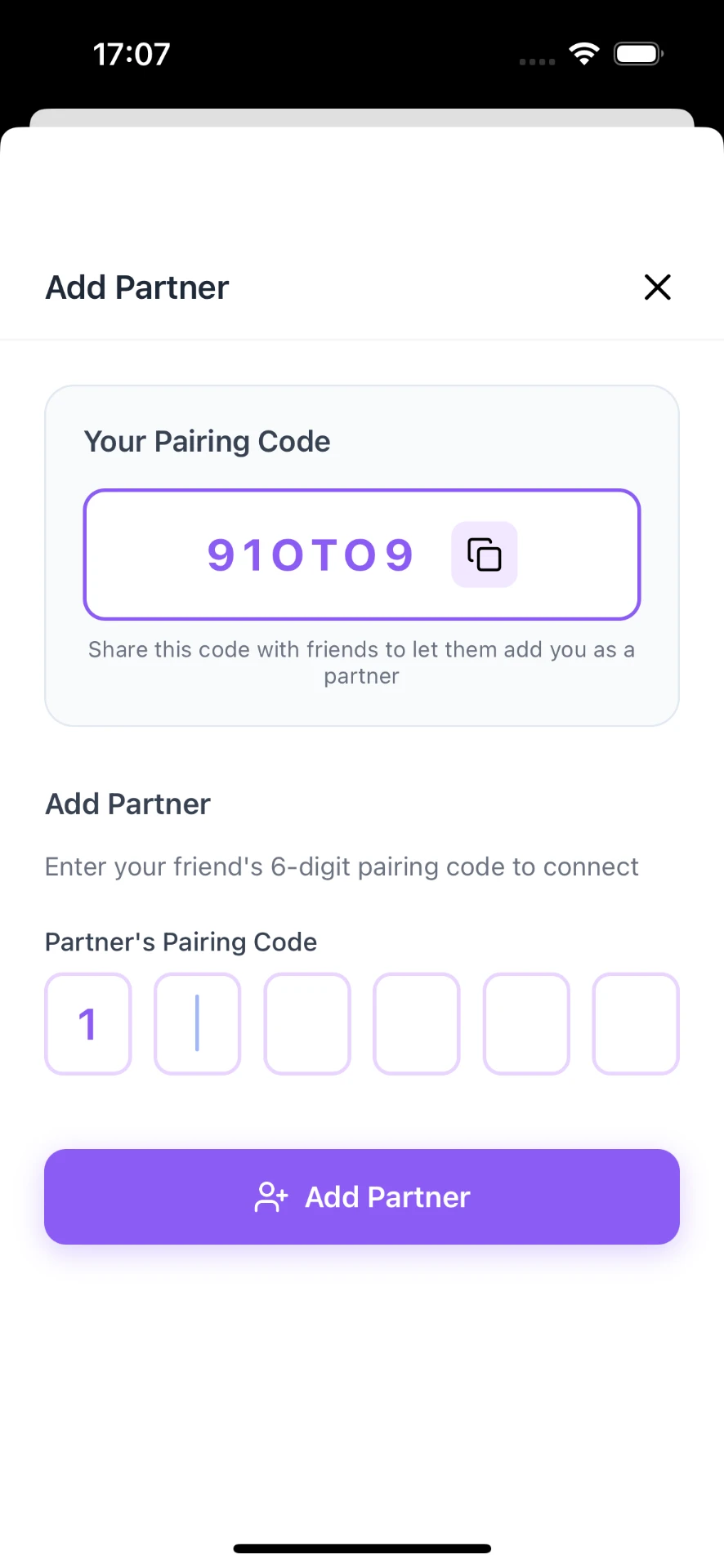
Connect with your partner from the Settings screen:

  1. 1Go to Settings.
  2. 2Select Add Partner.
  3. 3Share your pairing code or enter your partner's pairing code.
  4. 4Click Add Partner.
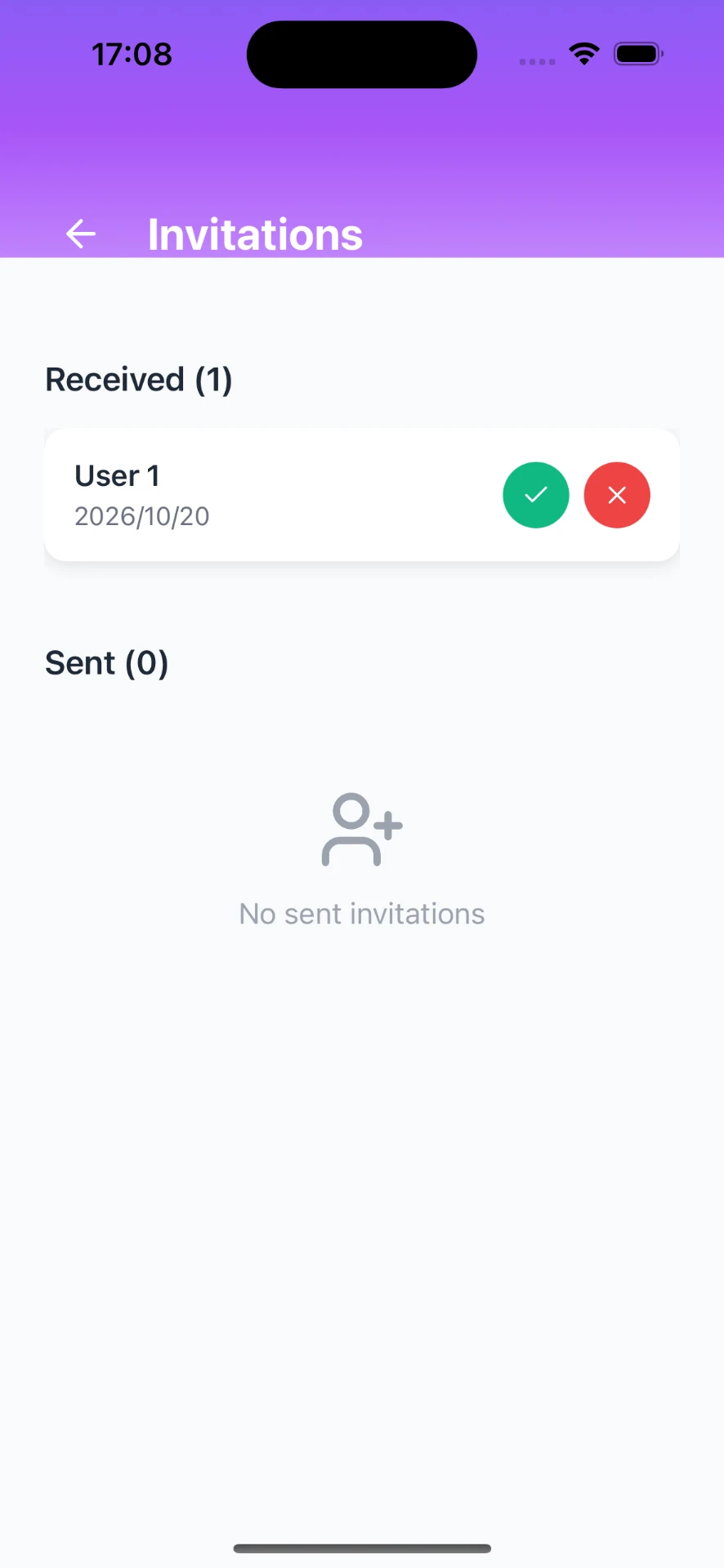
  5. 5Once your partner accepts your invitation, you are all set.

Note: The current version supports one connected partner at a time.
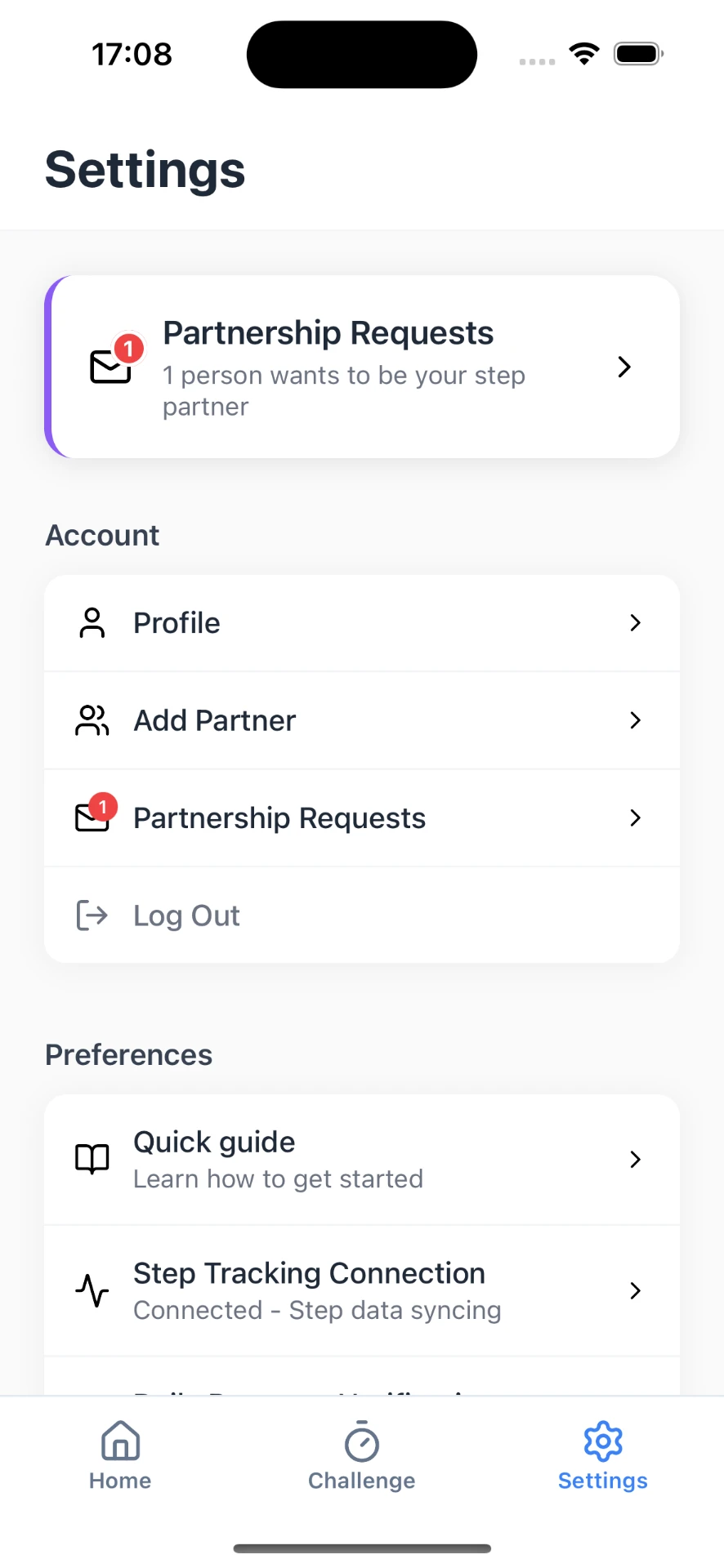
Settings — tap Add Partner
Share your pairing code
Accepting your invitation
Step 4

Track Your Daily Progress

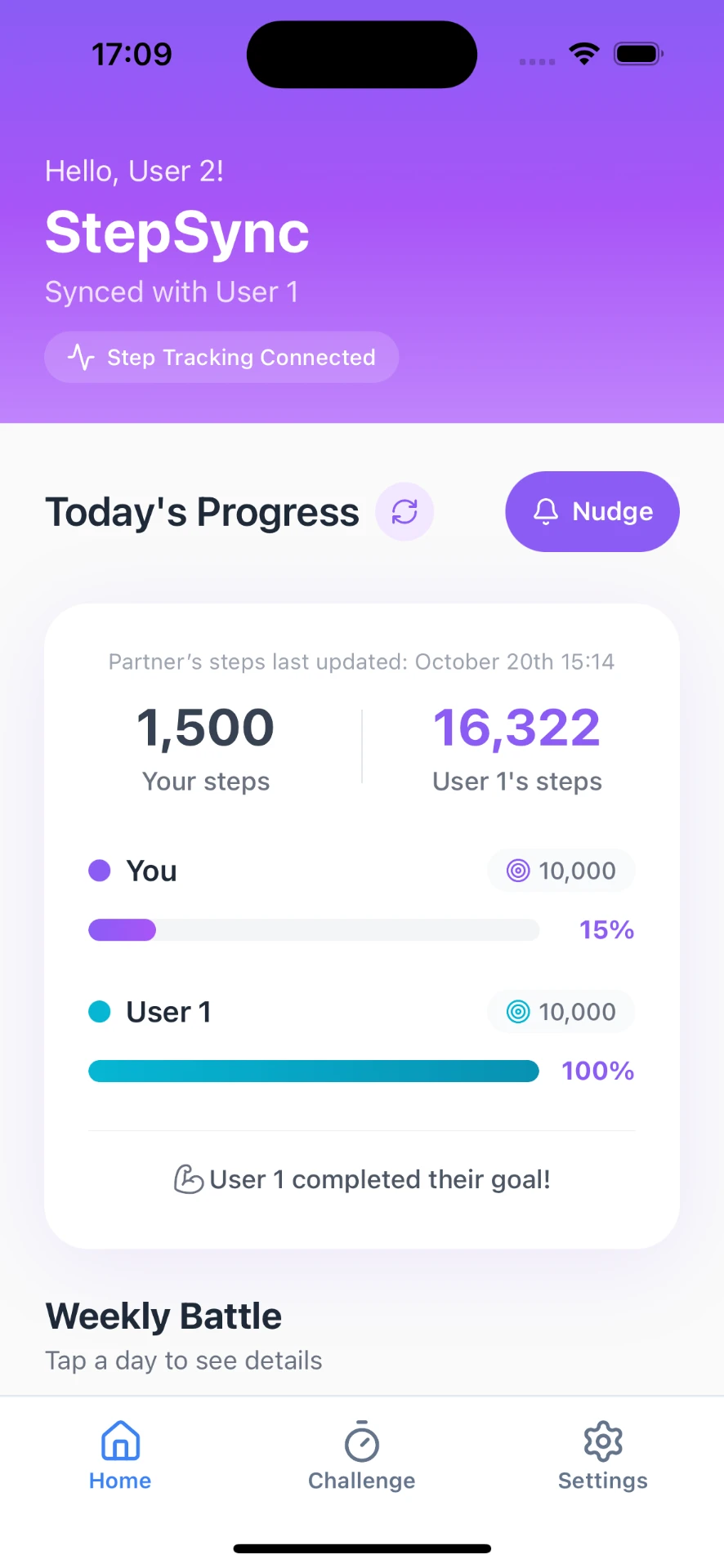
The Home screen shows everything at a glance:
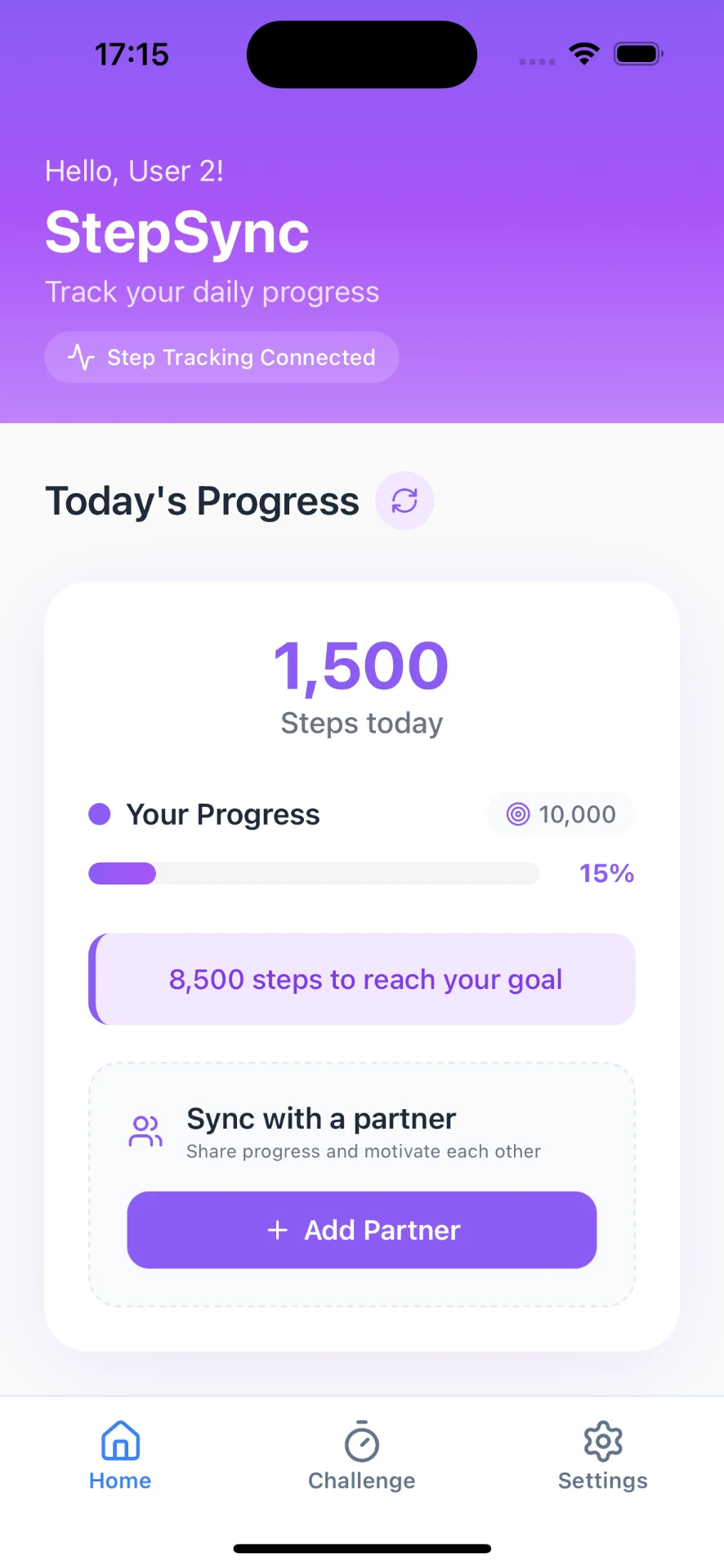
  1. 1Your daily step count
  2. 2Your partner's daily step count
  3. 3Daily step goals
  4. 4Progress percentages
  5. 5Refresh to update step information
Solo user — Home screen
Partner user — Home screen
Step 5

Create a Challenge

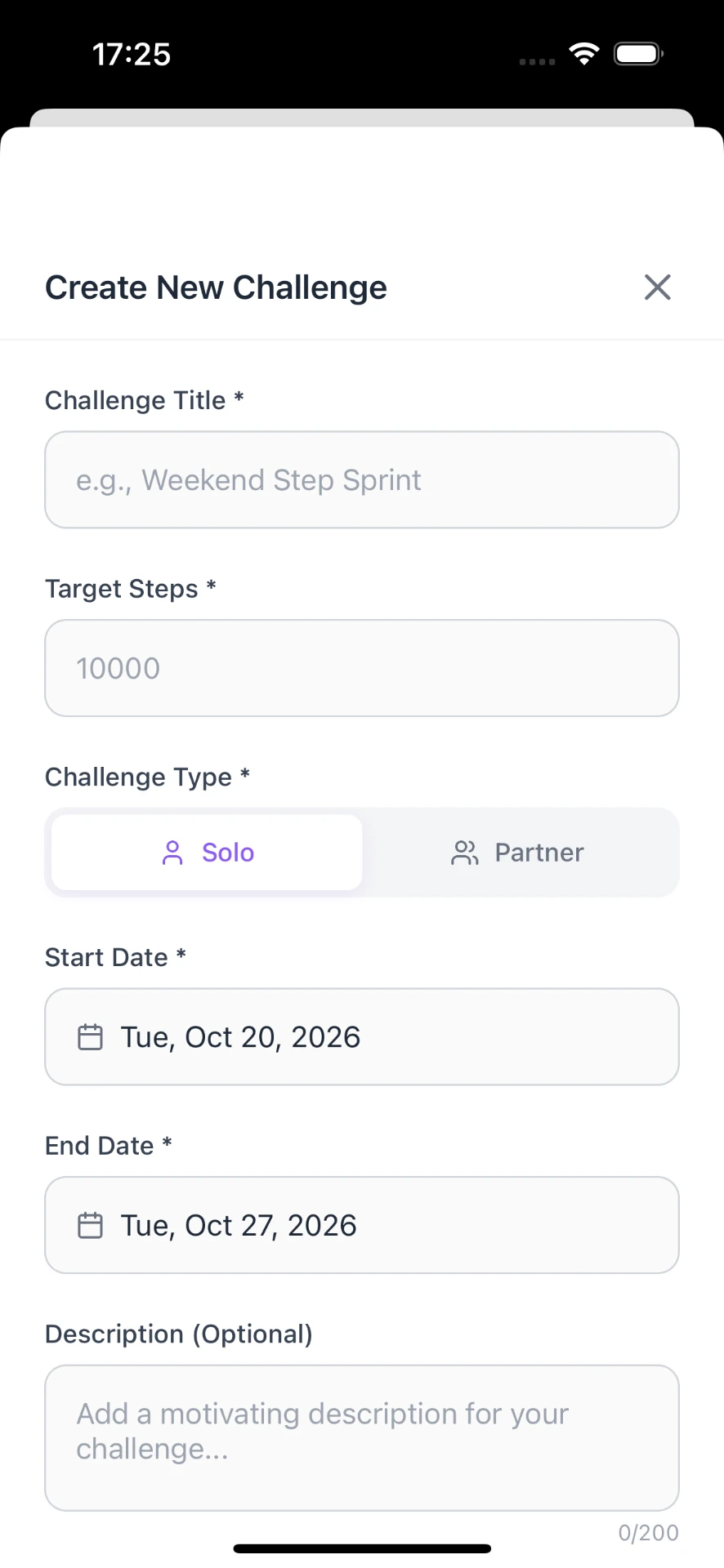
Make every step count! Create your own walking challenge, set a goal, and track your progress as you work towards achieving it.
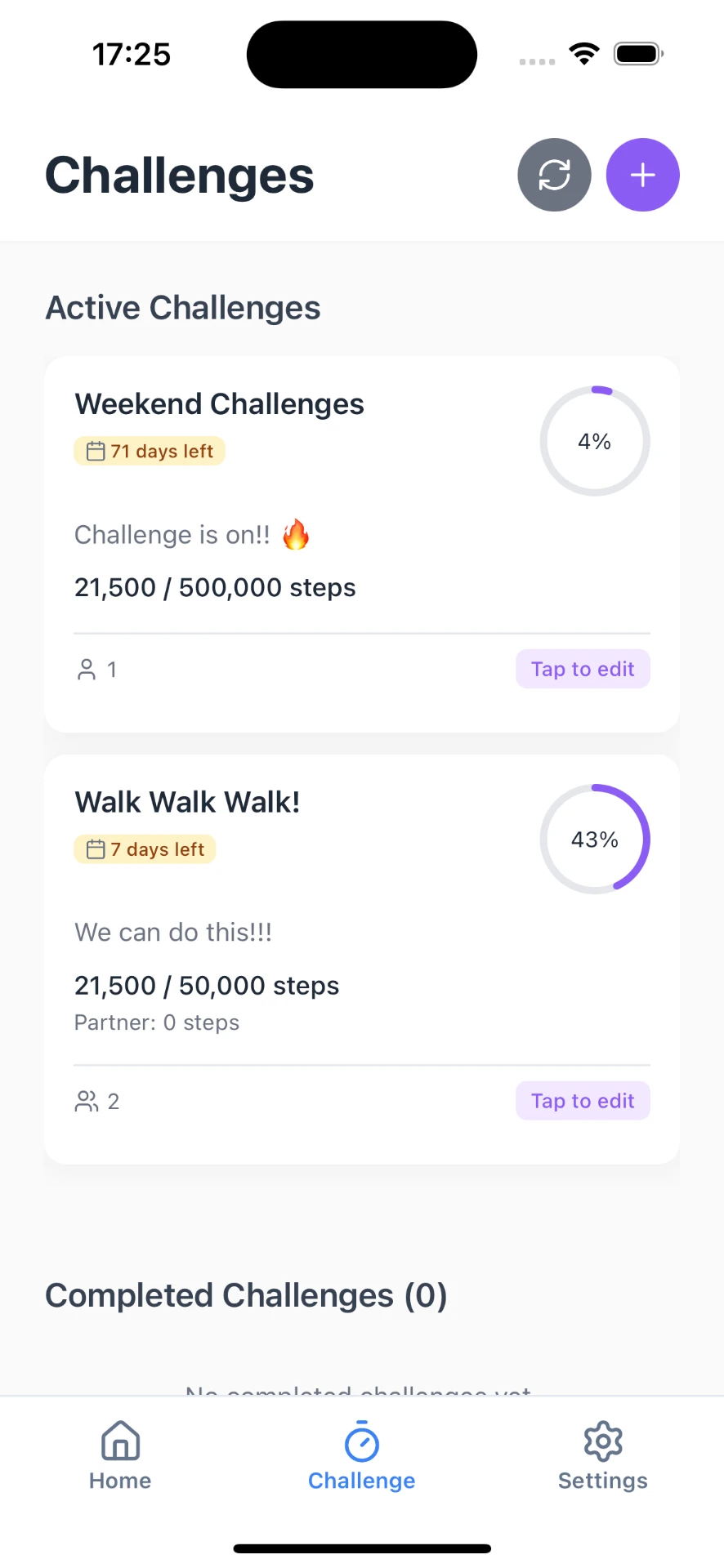
  1. 1Go to Challenge.
  2. 2Create a New Challenge. Tap the + button on the top right to create a new challenge.
  3. 3Set Your Challenge Details.
  4. 4Track Your Progress.
Challenges — tap the + button
Create New Challenge
Step 6

Join the Weekly Battle

The Weekly Battle compares the daily walking progress of you and your partner throughout the week. Check in each day to see how you're both doing.
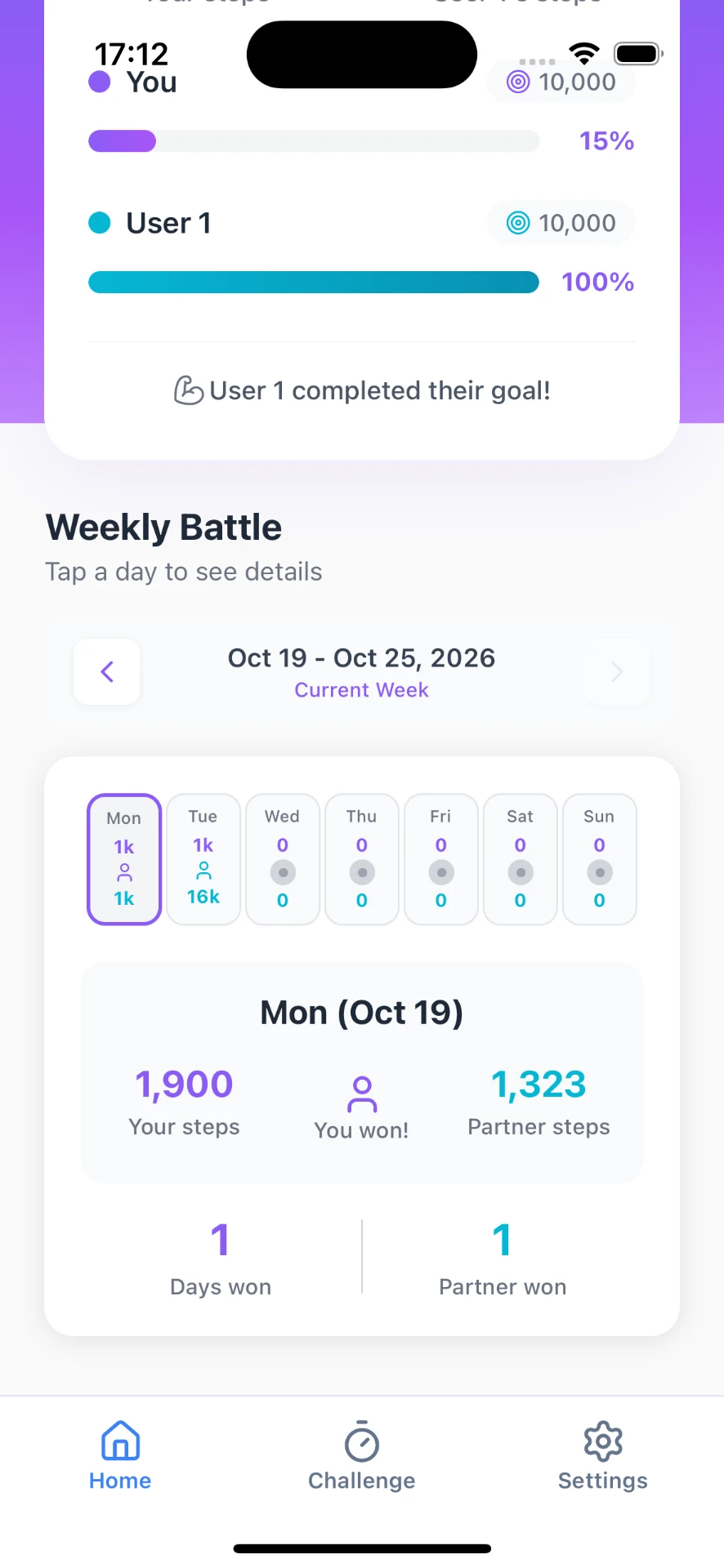
Weekly Battle screen
Step 7

Nudge Your Partner

Send a friendly notification to encourage your partner to open StepSync and check their progress.

  1. 1Go to the Home screen.
  2. 2Tap the Nudge button.
  3. 3Your partner receives a notification.

Note: There is a one-hour cooldown between nudges.
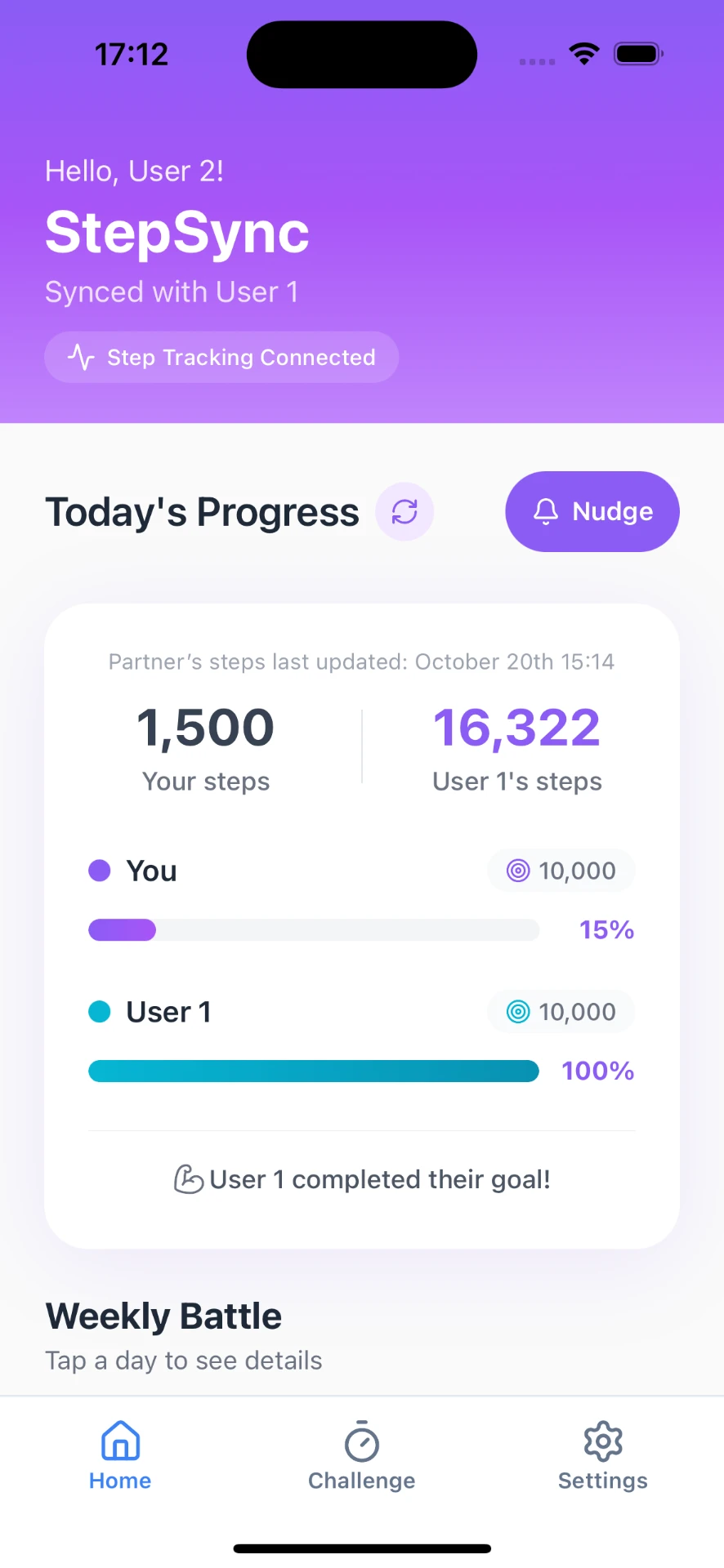
Nudge button
Nudge button

Help

Troubleshooting & FAQ